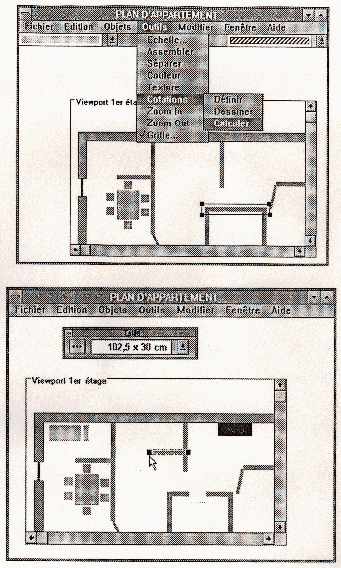
Figure 1. User interface for the design of a furnished flat.
| Teaching Solid Modelling |
6. 3D computer graphics studies at ESSI
Jean-Claude Lafon, Peter Sander and Michel Buffa
Abstract
In this paper we present the teaching of three-dimensional computer graphics at ESSI: focusing on the students and their aims, the objectives and structure of the courses, the way they are taught and the problems that have been experienced.
Who is being taught?
In the ESSI engineering school, solid modelling is taught to computer science students who are four and five years past their baccalaureat. These students are aiming to find jobs in high-technology industries, for instance:
All the students starting to learn about solid modelling can be expected to have a good knowledge of the principles of computer science, and in particular of:
Objectives
The objectives of the course are to give students:
Equipment
The courses are taught on a network of 160 Sun SPARC workstations; ten SGI Indy workstations are also available. The software used includes Phigs, Pex, Renderware and POV, Open-GL and VRML (1.0 and 2.0).
Second-year course: 2D graphics
The second-year course covers the following topics:
Example project
Figure 1. User interface for the design of a furnished flat.
A typical second-year project is the interactive design of a furnished flat, as shown in Figure 1. This is a one-week project that is undertaken by a class of about eighty students. Aspects of interest include enforcing object adjacencies and resolving constraints between objects, and the design of a data structure and a user interface.
Final-year course: 3D modelling and realistic
rendering
The final-year course on modelling and rendering covers the following topics:
We teach PHIGS because it is an ISO/IEC standard widely used in French industry. Coordinate systems and clipping are very well described; hierarchical modelling is possible with the use of structures; and the viewing model is very clear in PHIGS. There is also the concept of workstation, appearance control and logical input devices and interaction models, although these are not so relevant to 3D work. However OpenGL will be used in future as it is more attractive on SGI machines.
Both the second-year and final-year courses have the same form:
Typical exercises include:
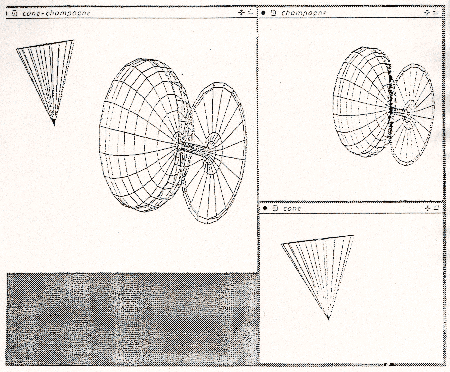
Figure 2. A "small 3D modeller".
Small projects
Small Project 1: modelling and animation of cranes
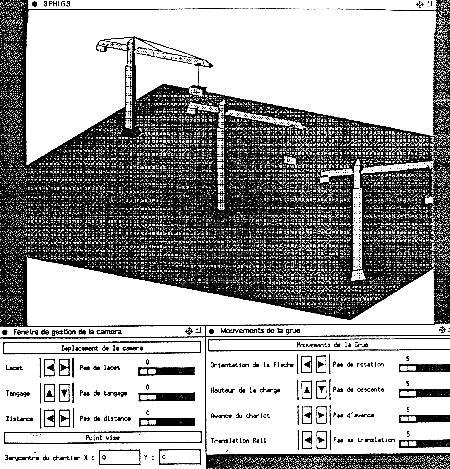
Figure 3. Several tower cranes modelled in PHIGS.
A tower crane is in fact a rather complex structure, composed of many different sub-assemblies: rail, tower, top-of-tower, cab, carriage. The hierarchical structures of PHIGS is very convenient for the modelling of such structures. Each component of the crane is defined in its own coordinate system and approximated by a rectangular parallelpiped. In this projects, the students use PHIGS to learn about:
Cranes are also moving objects (moving parts include the base on rails, the tower, the jib, the wagon and the load itself). The motion is described in a Cartesian coordinate frame, in which the relative positions and orientations of objects are represented by homogeneous transformations between coordinate systems attached to each component, and combined by matrix multiplications. Matrices are convenient for expressing consecutive transformations, and fit well with the viewing pipeline of PHIGS which is used in its implementation.
To visualize the cranes that they have modelled, the students have to define the position of the camera and the type of projection to be used. So they need to study the viewing pipeline and the viewing model in PHIGS, the different parallel and perspective projections, and the different PHIGS attributes. An example picture is shown in Figure 3.
A major aim of this project is to show the student the importance of program portability (this is a reason for using PHIGS). For compatibility reasons we cannot produce shaded pictures from PHIGS+, but we can transfer the models to POV for this purpose.
The students have achieved good results in this exercise, and employed good programming practice ... which was our main objective.
Small project 2: Interactive three-dimensional design of a furnished flat
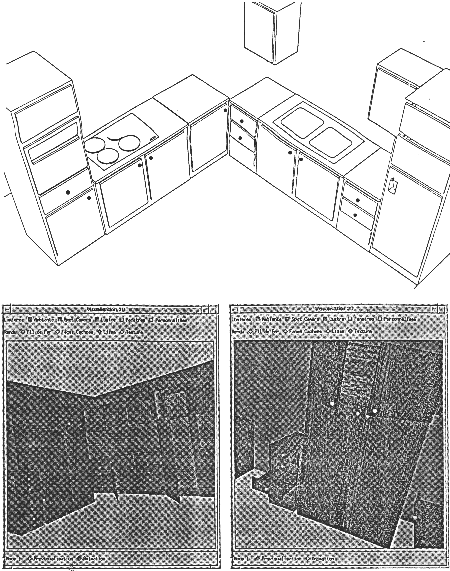
Figure 4. A furnished kitchen.
This is an extension of the (2D) second-year project on designing a flat. In this project, modelling is more complex. The resulting models can be rendered with Pex or POV (see Figure 4).
Final projects
Final project 1: Modelling and animation of a robot
This project was done by two students working together. They use an object-oriented approach to describe the direct and inverse kinematics of robots. The results of this project have themselves been used for teaching about robot manipulation
Final project 2: Declarative modelling of polyhedra
This was another project undertaken by a pair of students. The aim was to be able to define classical convex or non-convex polyhedra, and to render them using POV. This was a challenging project, especially because the usuall books on this subject (e.g. Berge, Coxeter) are too difficult for computer science students.
Final project 3: Putting an interactive walkthrough of the
ESSI building on to the World Wide Web
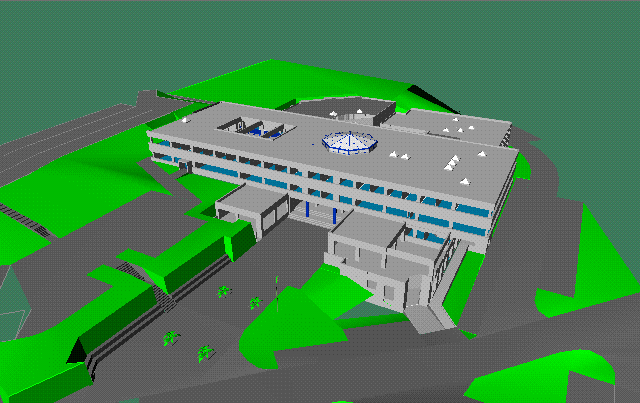
Figure 5. The exterior view of the ESSI building that is on the Web.
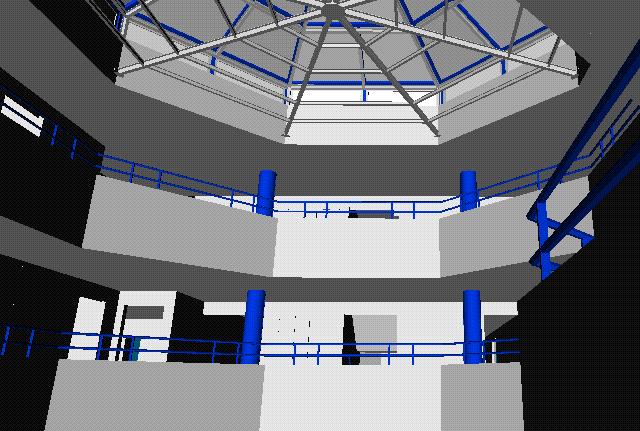
Figure 6. The interior view of the ESSI building that is on the Web.
This was a four-student project. The main aims were to explore the field of VR; to use AutoCAD to model the buildings (This would have been too difficult using PHIGS or OpenGL); to use VRML to construct the virtual walkthrough. It was also a multimedia project; if you click on to a specific desk, a teacher will appear and speak.... (See Figures 5 and 6, or http://www.essi.fr/~sander/proj/EssiVR.
Other final year projects included:
Conclusions
Our approach gives good results with our students, but we have some difficulties:
We are searching for now software tools, such as a suitable 3D modeller and an object-oriented graphics language, and of course we always need new ideas for practical projects.
References
Theoretical books (to support lectures):
Technical books (to support projects):